Your first shot#
Applies to v0.9Last reviewed
In short
The shortest path from opening Zymcos to a first finished take: five steps, one of which spends money. You ask CODA for a single image, and you need no script, bible or files first.
This is the shortest path from opening Zymcos to your first finished take: five steps, and one click that spends money. It makes a single image by asking CODA, the built-in assistant, for it. You do not need a script, a bible or any files first. You can add all of those afterwards.
A computer is easiest. On a phone the same steps work one panel at a time: CODA for the conversation, Workspace for the Viewport (see Welcome to Zymcos).
Before you start#
You need a Zymcos sign-in and a workspace that has been set up for you. If you are signed in but see that your account has no workspace yet, that is the missing piece; see Signing in and out.
The five steps#
-
Sign in. Open Zymcos. If you are not signed in, it sends you to Zynth Auth by itself and brings you back. There is nothing to find or press first.
-
Name a production. Everything you make lives inside a production, so Zymcos asks for one before anything else. Press New production, type a name, such as Mara's Return, and press Create. A name is required and there is no default, and you can rename it later without affecting anything that refers to it.
-
Start a conversation with CODA. CODA is the panel on the left. If it says No conversation yet, press Start a session. If you have used the production before, it opens on your latest conversation and you can carry on there.
-
Ask for an image. Type what you want in your own wordsCODA's message box
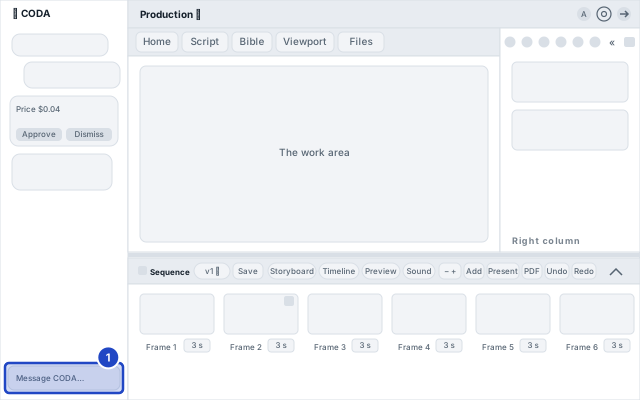
Make me an image of a lighthouse at dusk.
Or press Generate an image under the box: it puts a start of a sentence in the box for you to finish. Enter sends; Shift+Enter starts a new line.

CODA does not make anything yet. It answers with a card headed Generate an image, showing your words and the price. A price is written the same way everywhere (on the card, in History, in a run's panels): the exact figure with the trailing zeros dropped, so a take that costs two and a half cents reads $0.025, never $0.03. If the model has no recorded price, the card says Unpriced and the button says so too; you can still go ahead, and the take is recorded as unpriced, never as free.
-
Press Generate. This is the one click that spends. The button reads Generating… while the request is sent. Open the Viewport tab in the middle to watch the take develop, with a Cancel button under it. When it arrives, Zymcos switches to the Viewport for you. If you are in the middle of typing when it lands, the Viewport tab is marked instead, so nothing you were writing is interrupted.


That is your first take. It is filed under Files, and everything it was made from is kept with it.
What just happened, and what it cost#
- Nothing was made until you pressed Generate. The card was an offer. Asking CODA for something never spends by itself.
- You spent inside a limit. Each production has a daily limit on what clicked takes can spend. If a take would go past it, the card says so and nothing is made or charged. See Spending limits.
- Pressing Cancel may not stop the bill. If the model had already started, the take may still arrive and be charged. See Cancelling a take.
- If it fails, the card says so in plain words, and you are not charged for a take that failed, with two rare exceptions that the card names. See When a take fails.
What to do with your first take#
Everything below is something you can ask CODA for in plain words, or click yourself in the bar under the picture.
- Circle it (★) if you like it. Circling is your keeper mark; it does not make the take the shot's final. Until you circle a take it is marked Draft; the word is on its thumbnail everywhere.
- Rate it, 👍 or 👎, and rename it.
- Ask for variations of it, or to animate it. Each is a new card with its own price, and you press Generate again for each one.
- See every version of it in the History tab on the right.
See Asking CODA to do something to a take and Your files.
Where to go next#
- A whole film or ad. Start with the script: Writing a script, then the production bible, which keeps a character looking the same from shot to shot.
- Let it run. Running a brief on autopilot plans a set of takes under a cap you approve once. It comes with the Studio and Enterprise plans.
- The words. Glossary.